
Your Entire Workplace. Connected!
Bring your people, documents and everyday services together in Smart Workplace, wherever work happens.

01 / 04Approvals: web portal and mobile app
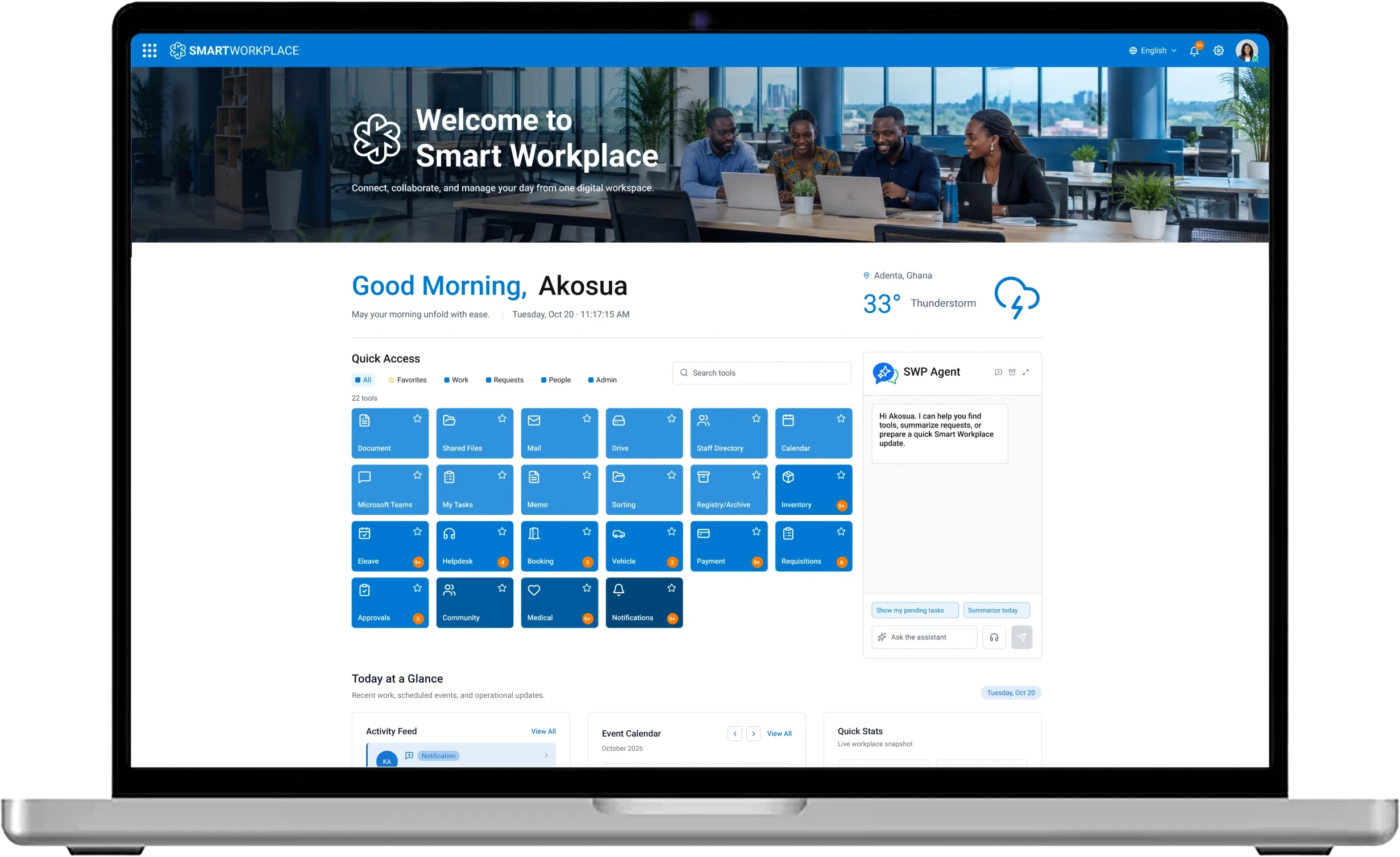
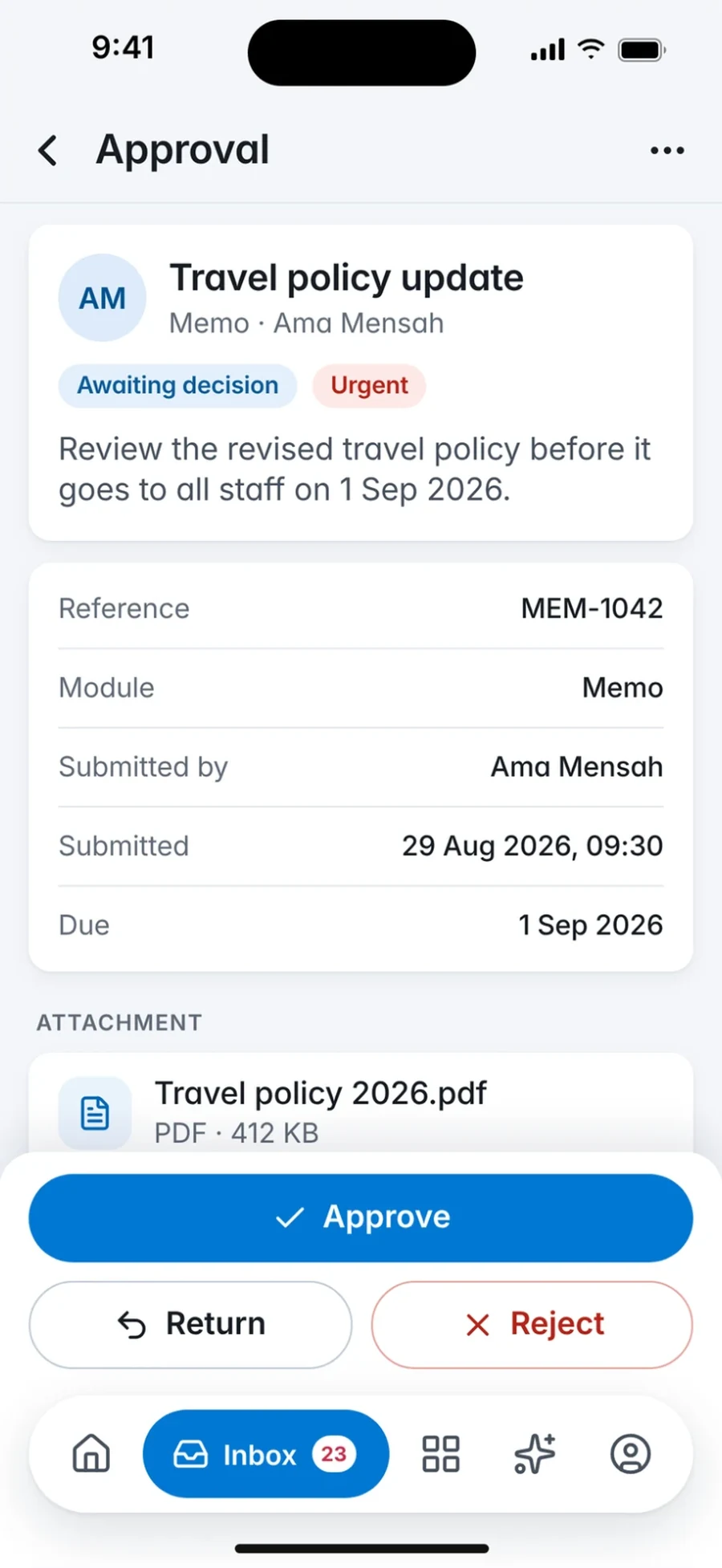
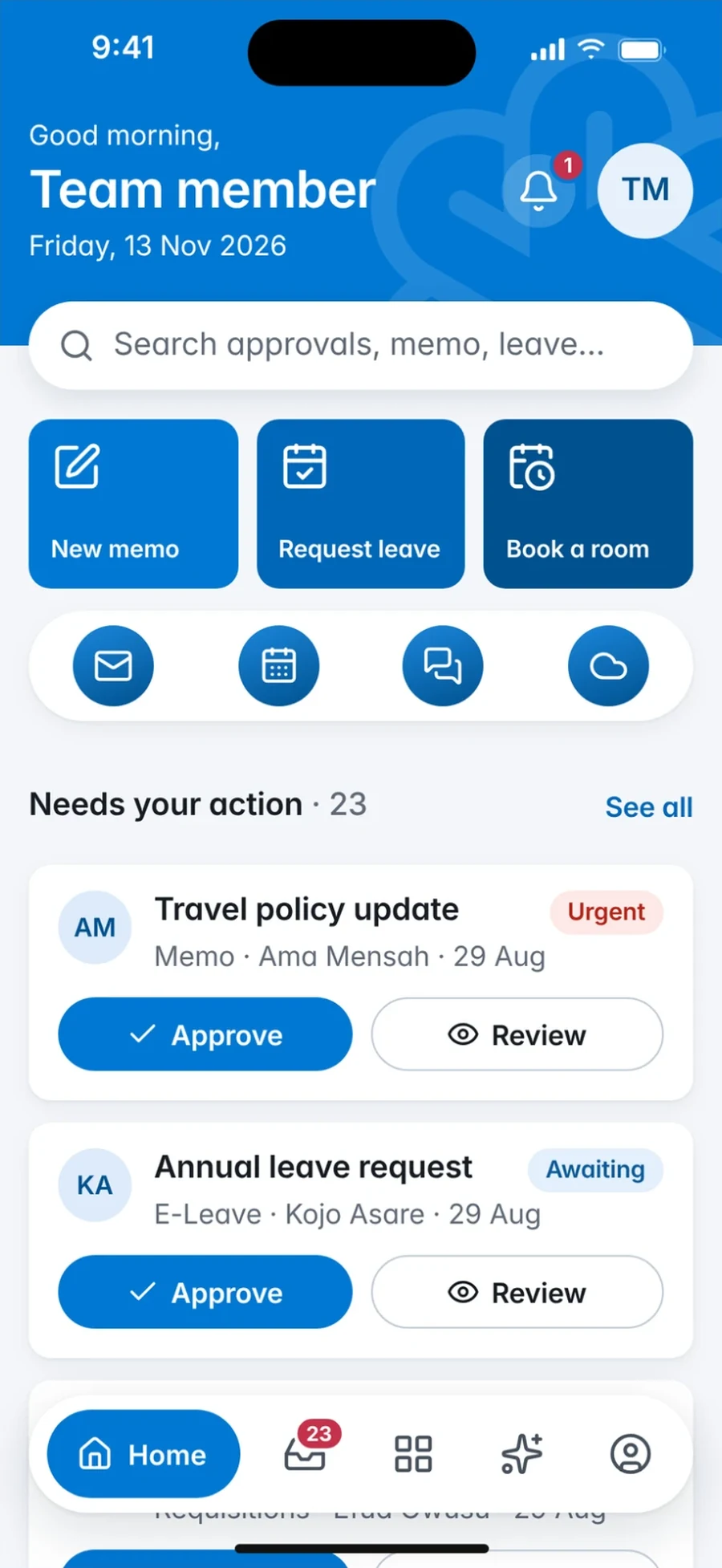
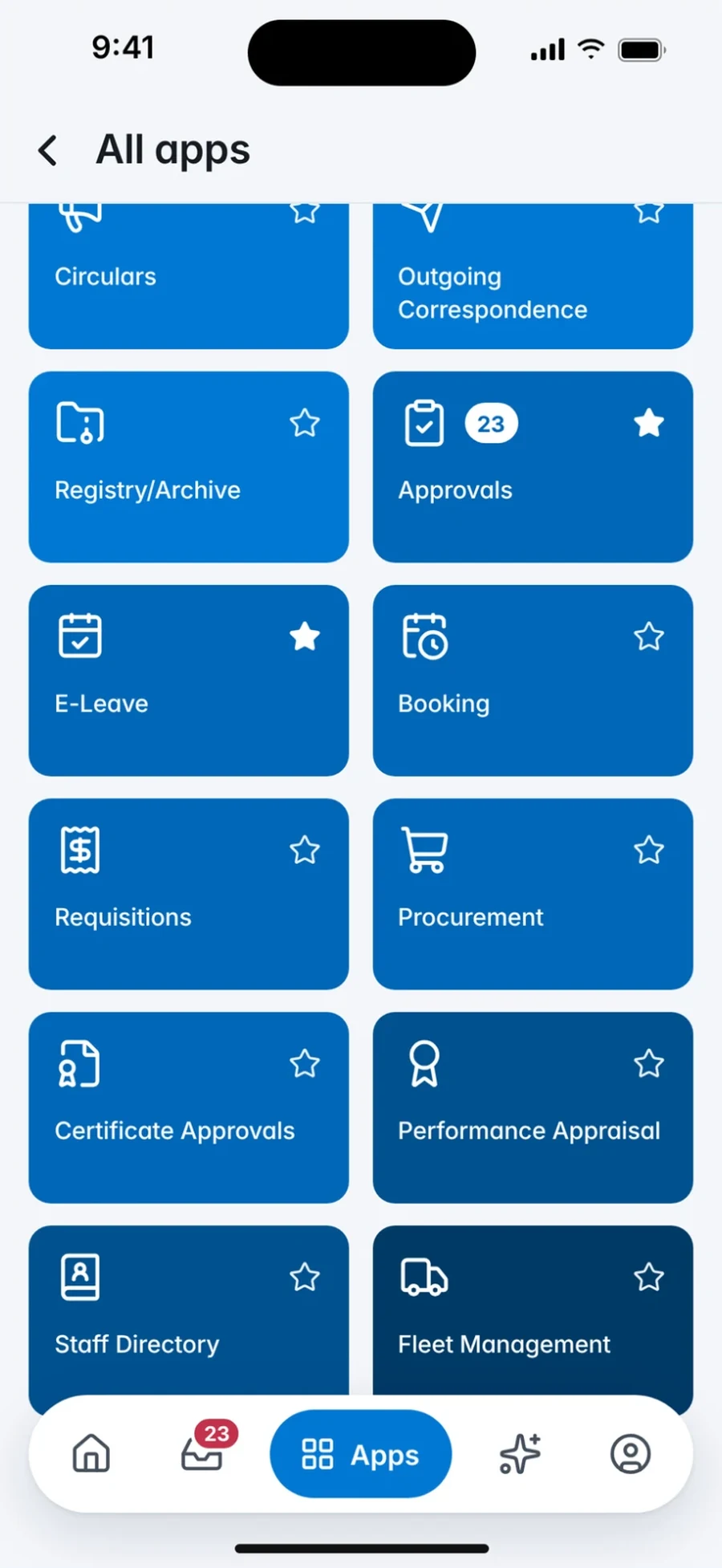
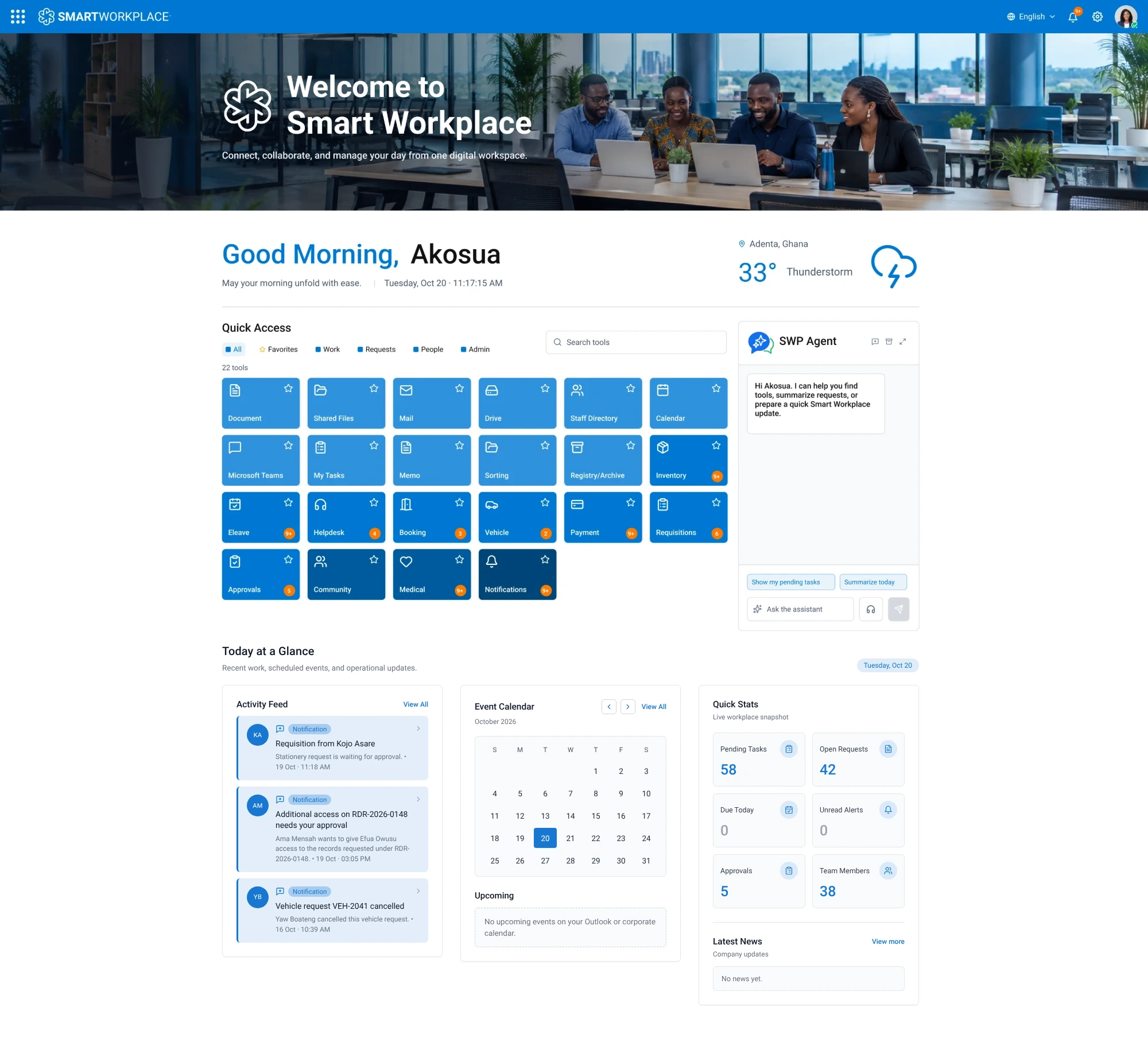
A MacBook shows the Smart Workplace web portal home with a welcome banner, a Quick Access grid of workplace tools such as Document, Mail, Drive, Staff Directory, Memo, Eleave, Helpdesk and Approvals, and the SWP Agent assistant panel. A phone beside it shows the Smart Workplace mobile app moving between the Inbox of decisions waiting on you, the Memo module and the home screen with quick actions.
Used by Institutions Across West Africa
- National Communications Authority (NCA), Ghana
- Ghana National Gas Company (Ghana Gas)
- SIC Life Company Limited
- Food and Drugs Authority (FDA), Ghana
- Petroleum Hub Development Corporation (PHDC)
- Ghana Airports Company Limited (GACL)
- State Interests and Governance Authority (SIGA)
- African Center for Economic Transformation (ACET)
- SIC Insurance PLC
- Unique Insurance Company Limited
- Côte d'Ivoire PME (CIPME)
Product tour
Less Chasing. More Doing.
Six everyday workflows on one platform. Choose one to see where it lives on the web portal and in the mobile app. Every screen here is the product itself.
01 / 06 · Approvals
Keep Decisions Moving.
See every request waiting on you, open the full context, and act from desktop or mobile without hunting through email.
More About ApprovalsKeep Decisions Moving.
See every request waiting on you, open the full context, and act from desktop or mobile without hunting through email.
More About ApprovalsMake Communication Actionable.
Read workplace memos, find the right people and send clear updates within your organisation, with the record kept where it belongs.
More About MemosPlan Time Off Without the Paperwork.
Check leave information, submit a request in minutes and follow it through approval, from any device.
More About LeaveGive Every Employee a Clear Next Step.
Raise a support request, track its status and get help from the managed service team or your internal IT desk.
More About HelpdeskFind the Right Person, Fast.
A staff directory organised around your departments, so people can find colleagues, roles and contact details quickly.
More About DirectoryDigitise, Route and Archive Records.
Document management for correspondence, policies and files, so records are captured once, routed for action and easy to find later.
More About Documents
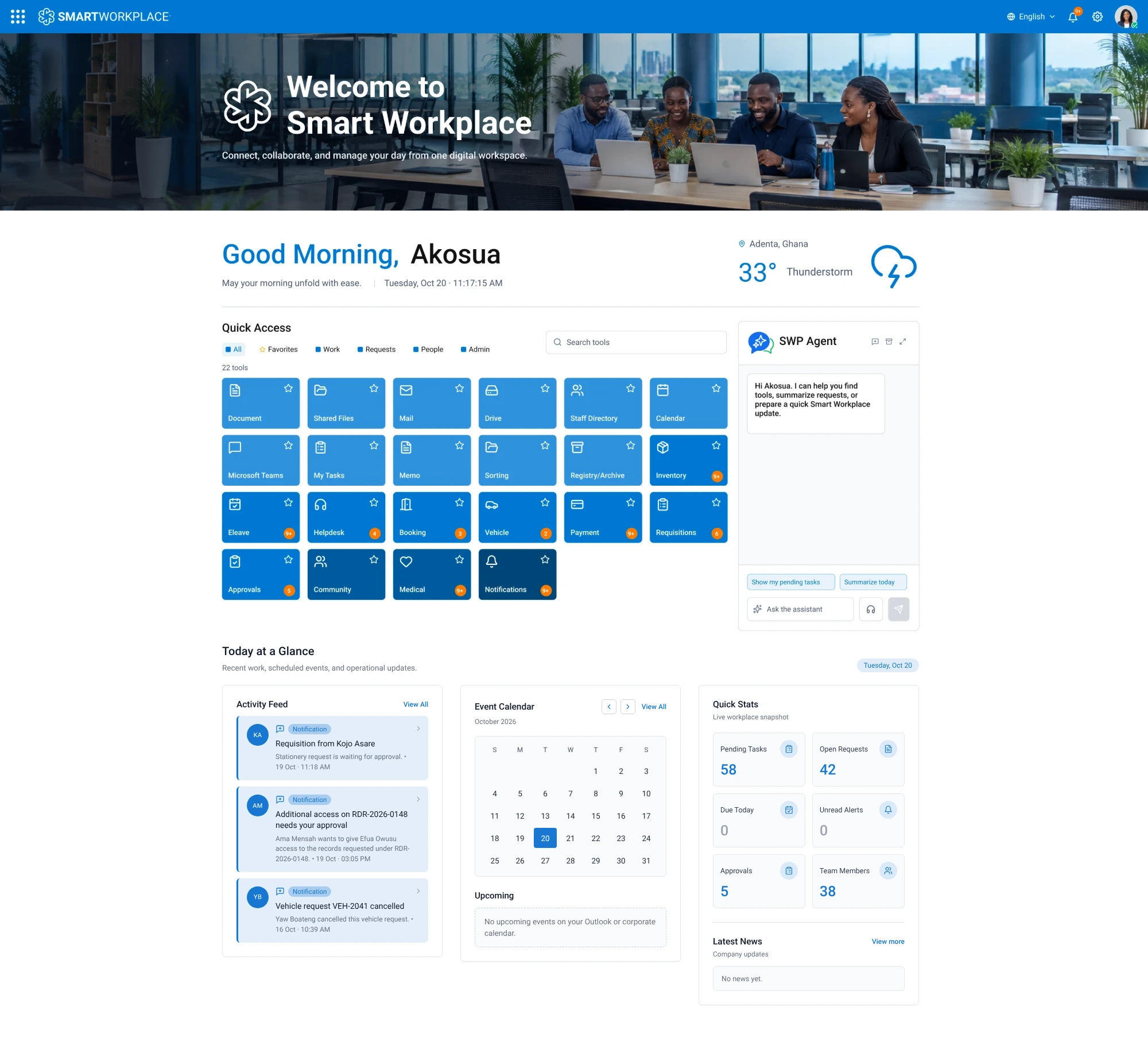
The Approvals tile on the portal, and Approve, Return or Reject in the app.
Not ready to book a demo?
Take the 90-Second Walkthrough.
A short guided look at the portal and the mobile app: sign-in, the shared home, four everyday workflows and the assistant. No form, no sound.
Mobile app
Your Workplace. Wherever You Are.
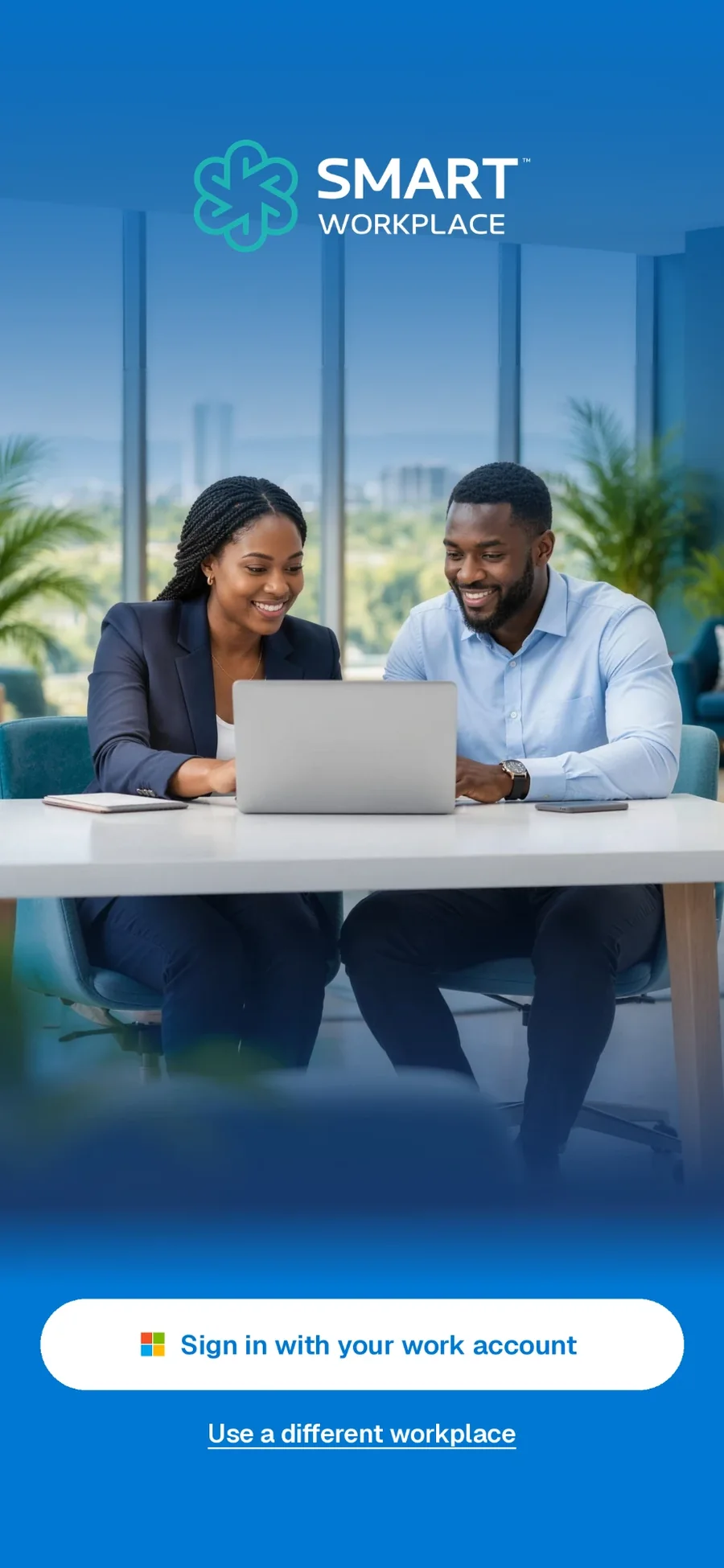
Sign in with your work account to see what needs your action, review decisions in your inbox and write memos, on iOS and Android.
- Work-account sign-in, governed by your organisation
- The same approvals and memos as the web portal
- Organisation-enabled apps alongside them
Public store links will be enabled once the listings are verified.
Sign in
Home
Apps
Brand themes
Your Organisation's Colours, Built In.
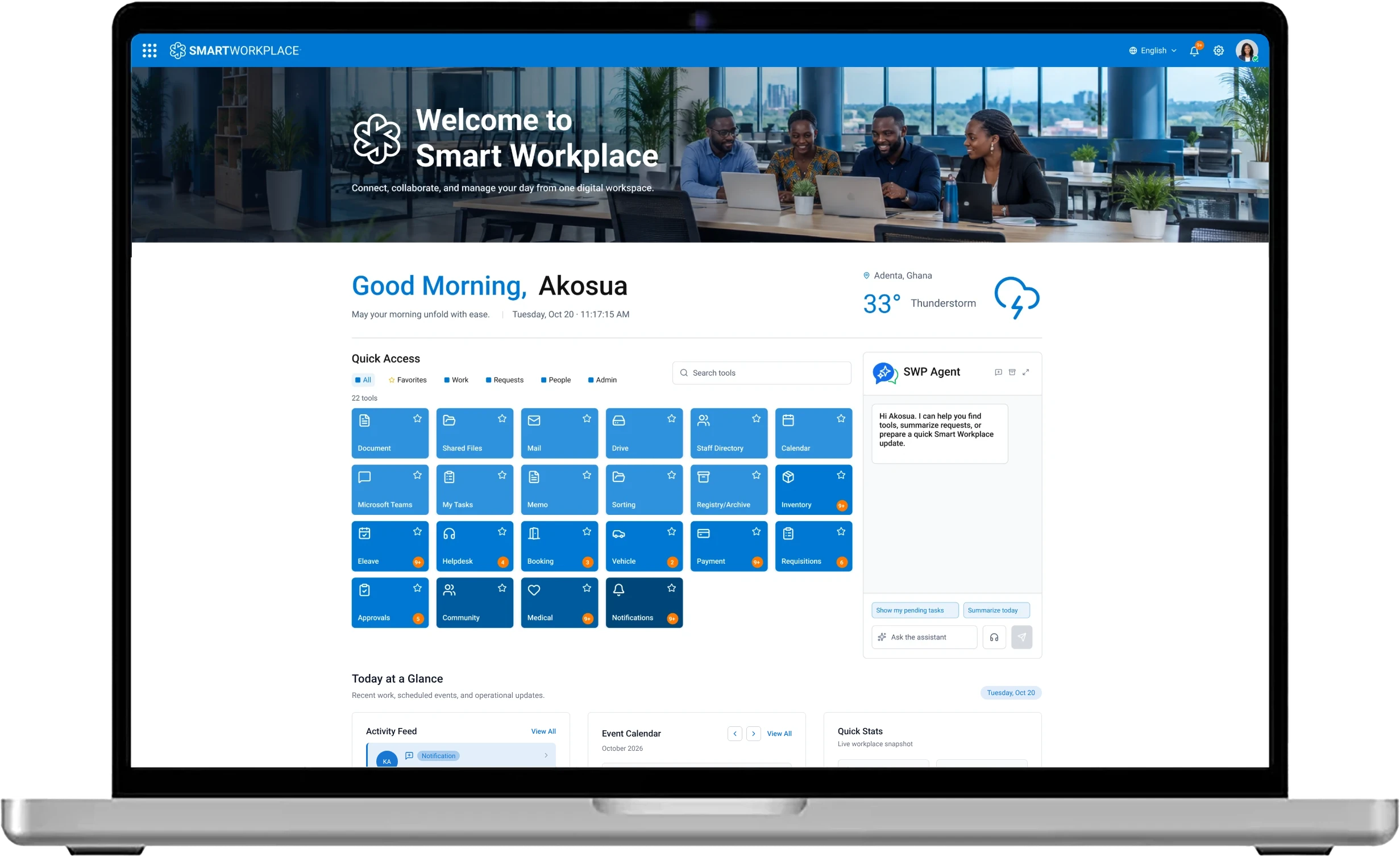
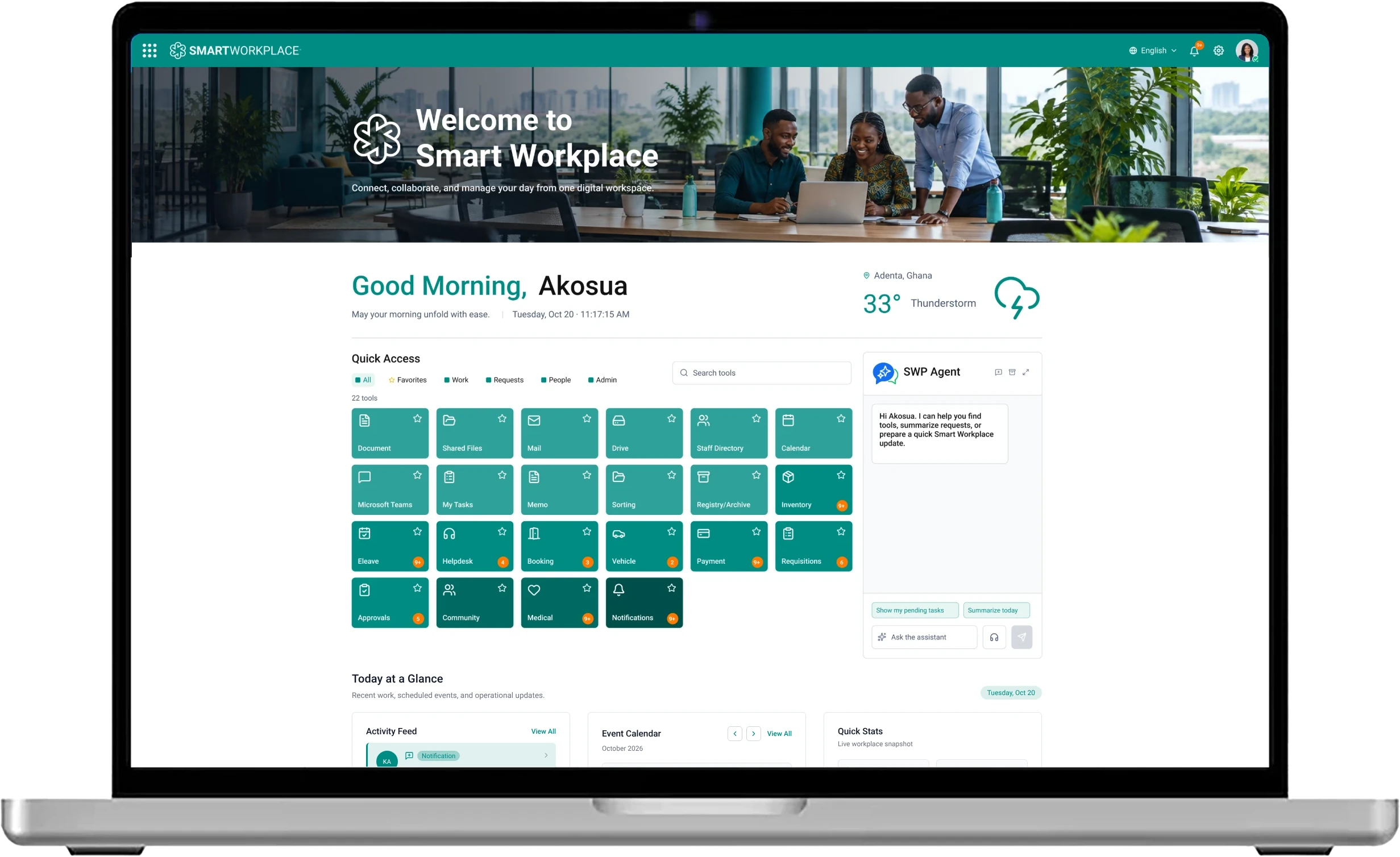
Smart Workplace can be themed to match your organisation, so the portal feels familiar from the first sign-in. Only the colours change: the tools, layout and workflows stay the same.
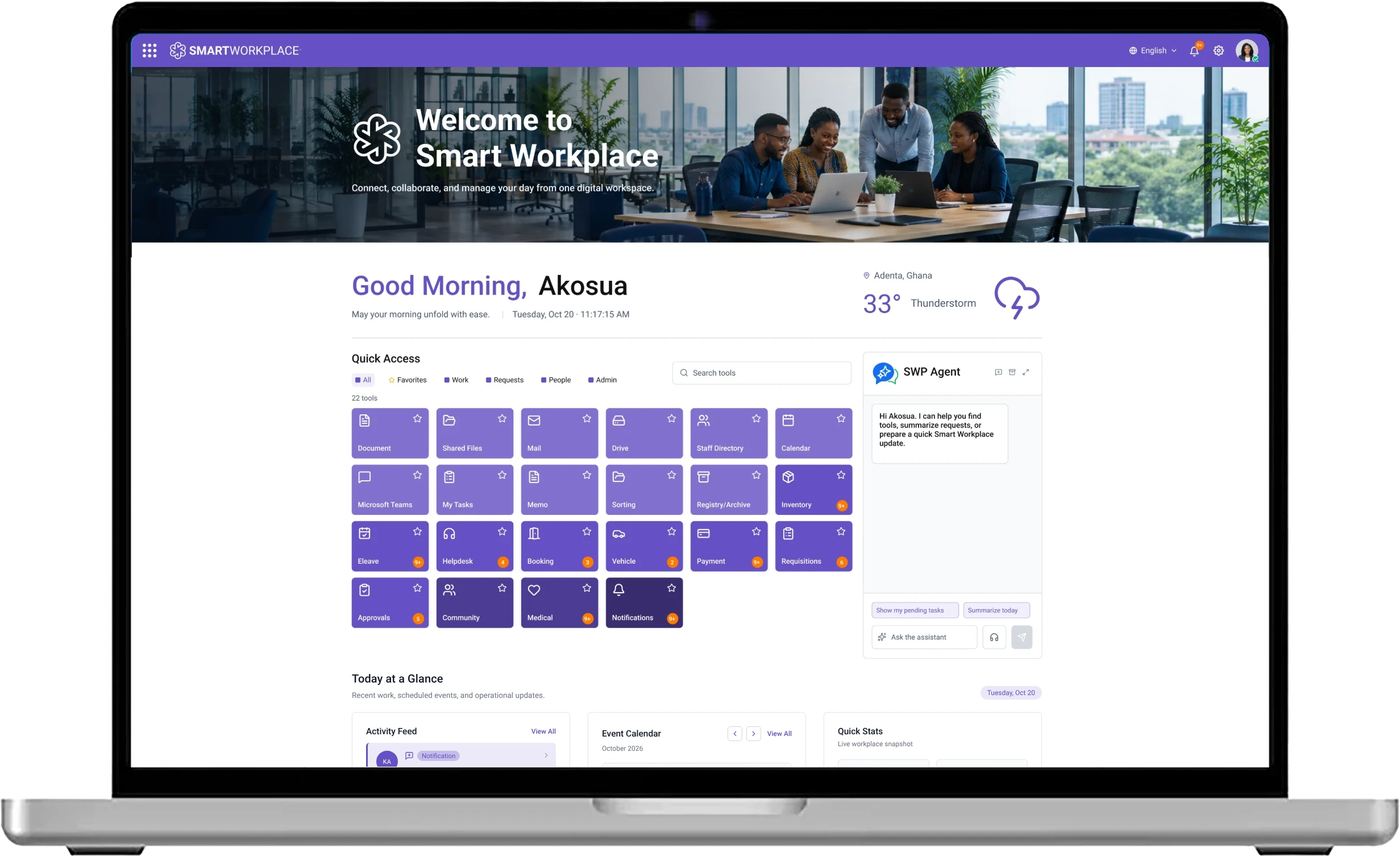
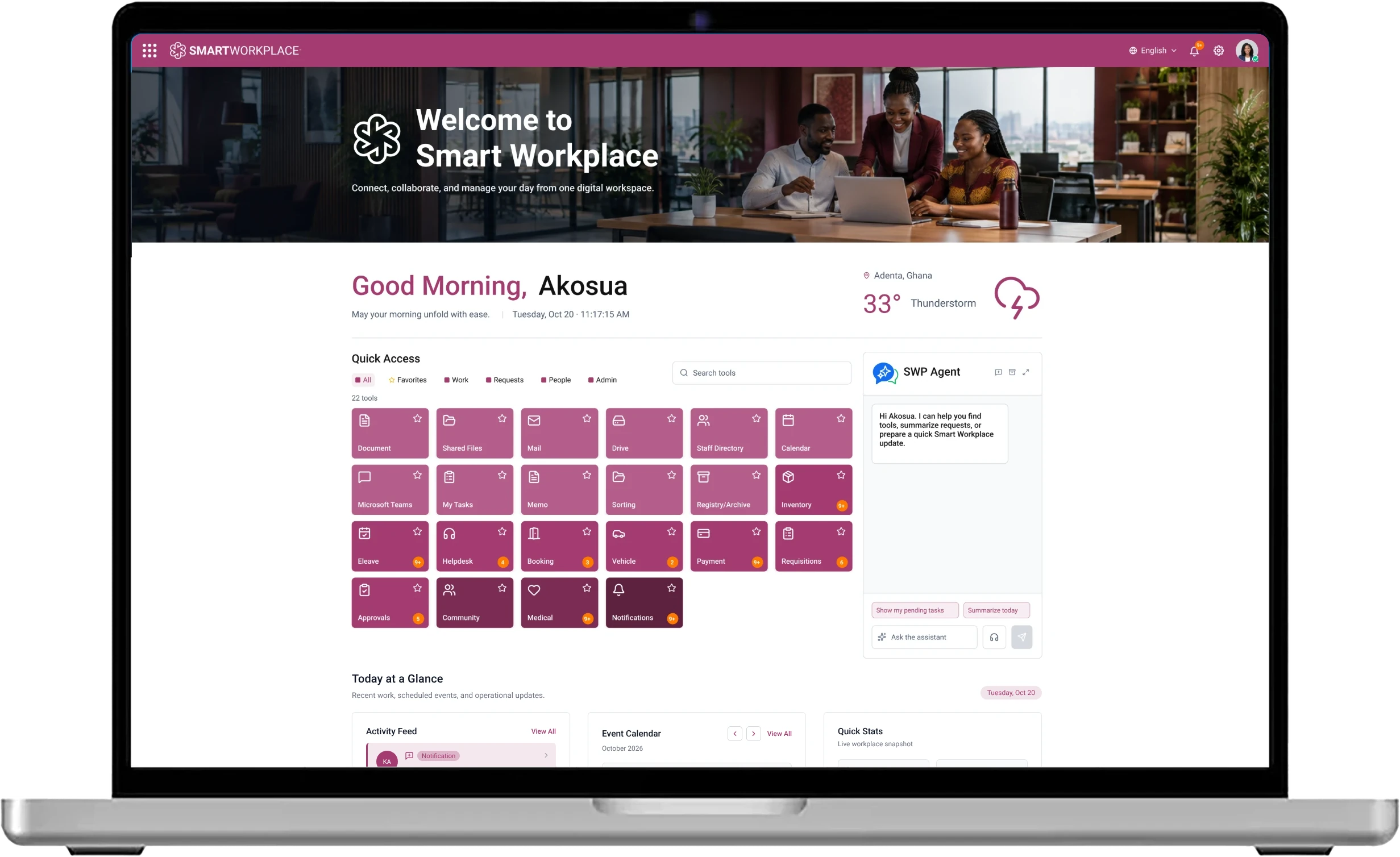
Preview a theme
Your Colours Throughout
The header, Quick Access tiles, highlights and buttons all take the theme colour.
The Same Layout Everywhere
Tools, menus and the SWP Agent assistant stay where your people expect them, whichever theme you use.
The Same Workflows
Approvals, memos, leave and every other service work the same way in each theme.
Deployment choices
One Experience. Four Deployment Paths.
Choose the foundation that fits your organisation. eSolutions recommends a path during discovery, based on your systems and requirements.
01 / 04 · Hybrid
Smart Workplace alongside your existing workplace systems, with selected cloud services.
Suits
Organisations combining existing workplace systems with selected cloud services.
About HybridSmart Workplace alongside your existing workplace systems, with selected cloud services.
Suits
Organisations combining existing workplace systems with selected cloud services.
About HybridSmart Workplace on a Microsoft 365-centred workplace foundation.
Suits
Organisations choosing a Microsoft 365-centred workplace foundation.
About Office 365A collaboration option based on Nextcloud and OX/openDesk.
Suits
Organisations that want a collaboration foundation based on open-source components.
About CollaborationSmart Workplace runs entirely on your own infrastructure, with no cloud services.
Suits
Organisations that need to keep their workplace platform and records on their own premises.
About On Premise
The stack
01 / 04
Smart Workplace · the same on every path
Web Portal, Mobile App and Workflows
Foundation
Your existing systems plus the cloud services you select
Hosting
Depends on where your systems run and the cloud services you add
Depends on
- The systems you already run and want to keep
- The cloud services you choose to add
Hosting location is a separate decision. Where services and records are hosted is agreed during discovery for whichever path you choose. It is not a separate product edition.
Case studies and evidence
Trusted by Institutions Across West Africa.
Regulators, public agencies, energy and infrastructure operators, insurers and policy researchers use Smart Workplace for their documents, approvals and records.

Public-sector roll-out, Ghana
330+
Ministries, Departments and Agencies and Metropolitan, Municipal and District Assemblies
Reported by the Ghana News Agency, October 2020 (opens in a new tab)Featured Clients
How each institution uses Smart Workplace
 Ghana GasEnergy and infrastructureDigitising Ghana's National Gas Infrastructure CompanyGhana National Gas Company (Ghana Gas) is the state agency mandated to operate the infrastructure for gathering, processing, transporting and marketing Ghana's natural gas. Its plants, pipelines and offtake agreements generate a steady flow of approvals, engineering records, contracts and safety documents. Ghana Gas implemented Smart Workplace to digitise these documents and approvals.Read the Case Study
 NCARegulatorsDigitising Ghana's Communications RegulatorThe National Communications Authority (NCA) is Ghana's statutory regulator for electronic communications and broadcasting. It licenses operators, manages spectrum, approves communications equipment and handles consumer complaints for a market of more than 43 million mobile voice subscriptions. Working from Accra and eight regional offices, NCA depends on fast, traceable internal approvals and well-kept records. NCA implemented Smart Workplace to digitise its documents, approvals and records.Read the Case Study
 FDA GhanaRegulatorsDigitising Ghana's Food and Drugs RegulatorThe Food and Drugs Authority (FDA) protects public health by regulating the safety, quality and efficacy of human and veterinary drugs, food, biological products, cosmetics, medical devices and other products. Product registration, inspection, import permits, clinical trial oversight and enforcement all depend on documents moving quickly between technical teams, committees and regional offices. FDA implemented Smart Workplace to digitise its documents, approvals and records.Read the Case Study
 Unique InsuranceFinancial servicesDigitising a Fast-Growing Ghanaian General InsurerUnique Insurance Company Limited is a Ghanaian general insurer, founded in 1999 and licensed by the National Insurance Commission, serving individuals, businesses and institutions through its branch network. Quotations, underwriting approvals, claims and payments create a steady flow of documents between branches and head office. Unique Insurance implemented Smart Workplace to digitise its internal documents, approvals and records.Read the Case Study
Implementation and support
Built and Managed by eSolutions Consulting Ghana.
From discovery and configuration to onboarding, training and ongoing support, eSolutions helps turn the platform into a workplace people can confidently use.
- 01
Discover
Understand the organisation, its requirements, existing systems and the deployment path that fits.
- 02
Configure
Set up the environment, security policies, document classes, workflows and services.
- 03
Adopt
Migrate users and records, onboard teams and run training with change support.
- 04
Manage
Provide ongoing managed support, security testing and optimisation after go-live.

What delivery includes
- Discovery Workshops
- Environment Set-Up and Configuration
- Security Configuration and Testing
- Migration and Onboarding
- Device Enrolment Where Applicable
- Training and Change Support
- Ongoing Managed Support
Timelines and service levels are agreed per engagement.
See it for yourself
Bring Your Workplace Into One View.
Request a guided 30-minute demo with eSolutions Consulting Ghana. We will walk through the workflows that matter to you and talk through the deployment path that fits.
Talk to the team
64 Ben Amartey Street, East Legon, Greater Accra, Ghana