
The platform
One Place for the Work Your People Actually Do.
Smart Workplace is the experience layer of your digital workplace: a shared home, connected services and a mobile companion, governed by your identity and policies.

The web portal
One Place for Every Workday.
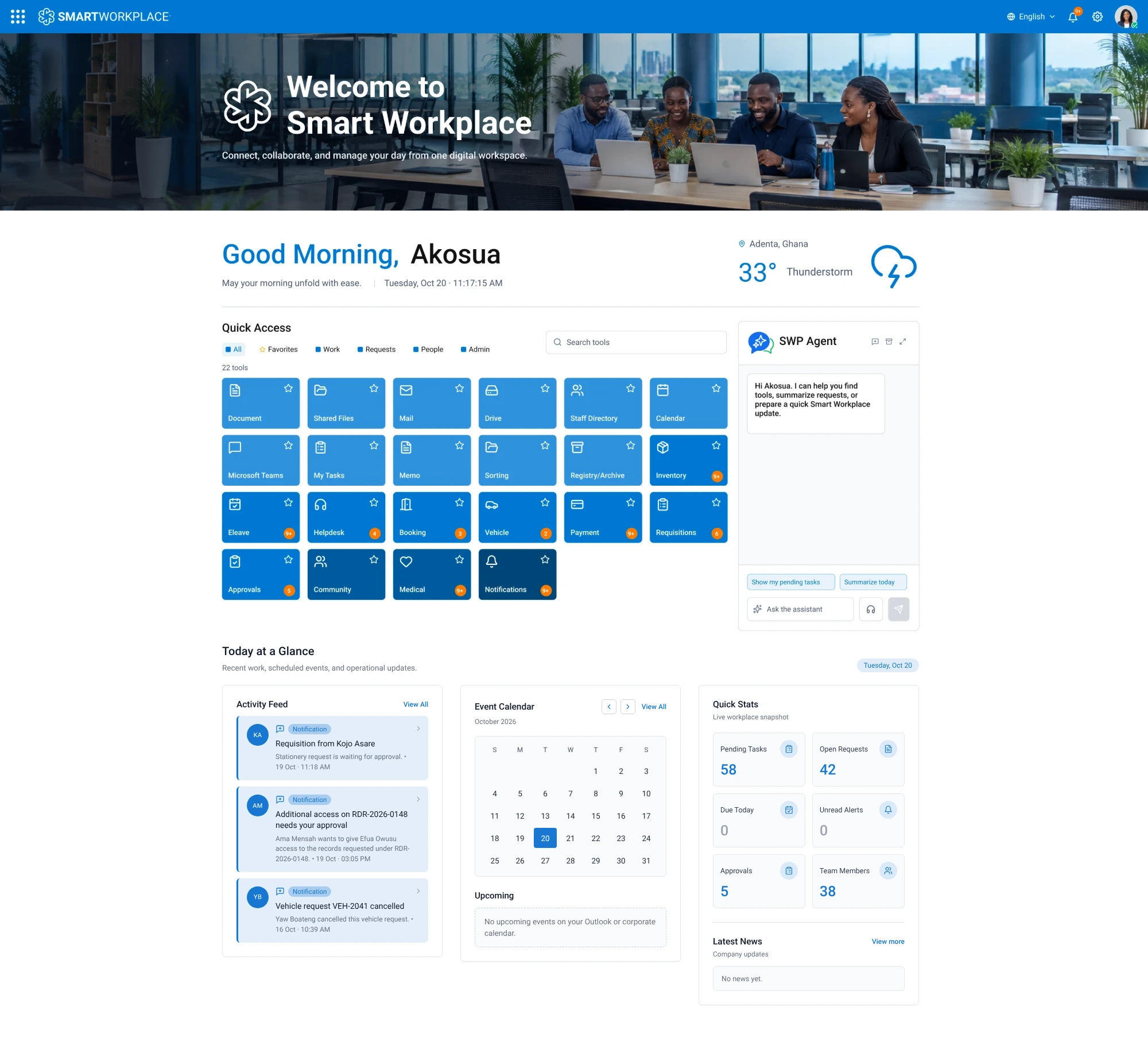
Sign in once with your work account and everything is on one page. Take a look around the portal home; this is a screenshot of the product, not a mock-up.
01 / 06
The Whole Home
One page, in your organisation's colours, with everything a person needs to start the day.
One page, in your organisation's colours, with everything a person needs to start the day.
A personal greeting with today's date, the time and the local weather.
Every tool your organisation has enabled, as tiles. Filter by All, Favorites, Work, Requests, People or Admin, or search by name. Badges show what is waiting.
The built-in assistant. In its own words, it can help you find tools, summarise requests or prepare a quick Smart Workplace update.
Below the tools: an activity feed of what needs you, the event calendar, quick stats on your tasks and requests, and the latest news.
Less switching, more momentum
A Workplace That Behaves Like One System.
Find what needs attention, act on it, and keep the right people moving, without making employees chase disconnected tools.
01 · See
Start With Clarity
A shared home brings urgent approvals, requests and activity into view the moment you sign in.
02 · Act
Move Work Forward
Review, approve, submit or respond from the service where the work belongs, on desktop or mobile.
03 · Connect
Keep Context Intact
Memos, staff information, documents and requests stay tied to your organisation, not scattered across inboxes.
04 · Support
Stay Productive
Helpdesk access and managed support give every employee a clear next step when they need help.
Workflow areas and status
Every Module, With Its Availability Stated Plainly.
Where configuration varies by organisation or deployment path, we say so.
Approvals
Approvers see a single queue with context, history and a clear action, and requesters can follow progress.
AvailableMemos
Electronic memos reach the right people quickly, and the record stays in one place.
AvailableLeave
Employees see their entitlement, submit once and get a decision, while line managers approve from the same queue.
Leave policies and entitlements are configured per organisation during delivery.
AvailableHelpdesk
Tickets are logged, prioritised and resolved with visibility for the employee and the support team.
AvailableDirectory
One directory, available on web and mobile.
How the directory is kept up to date is agreed per organisation.
AvailableDocuments
Documents are captured once, routed to the right desk and archived where they can be found again.
Document types, retention and workflow steps are configured per organisation.
AvailableOrganisation-Enabled Apps
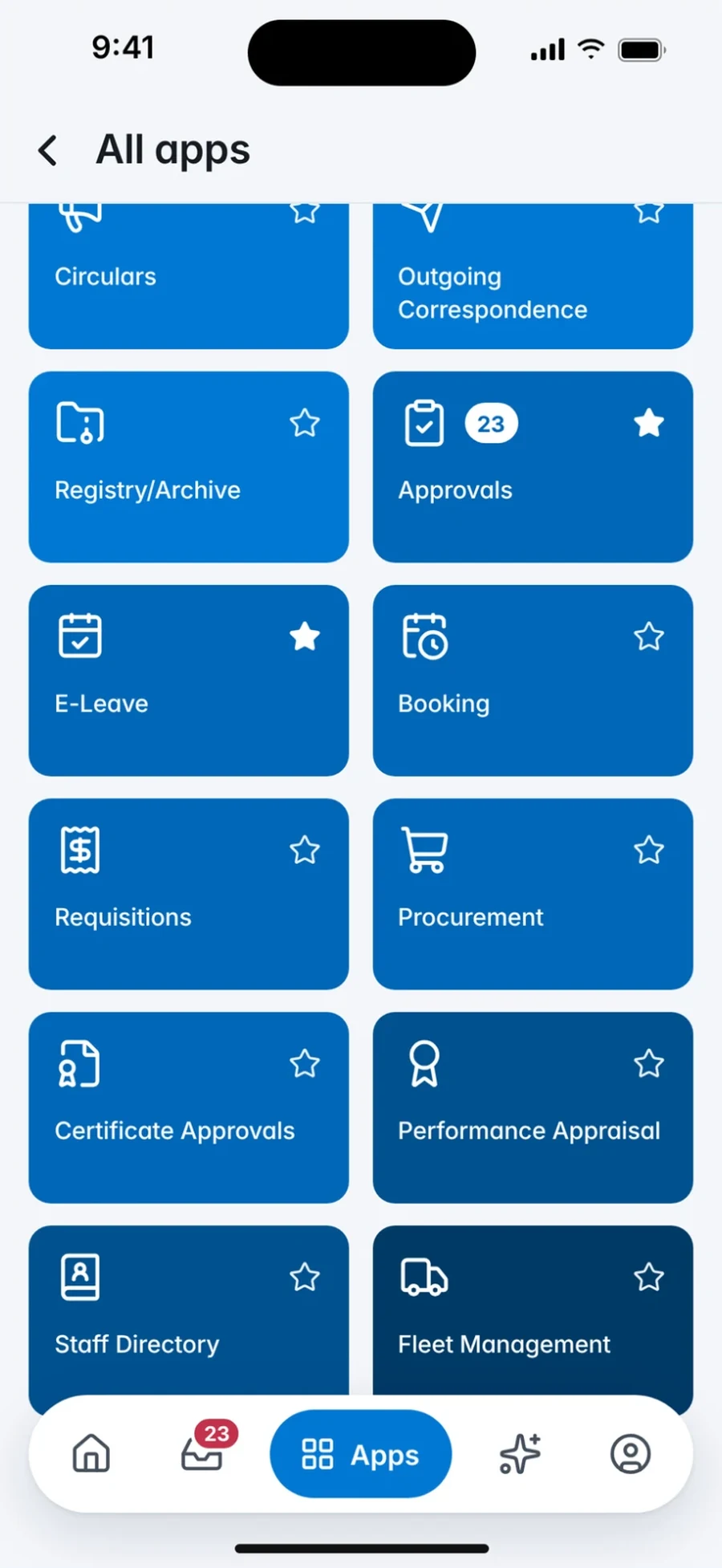
Additional workplace apps appear when your organisation enables them. Availability depends on your configuration and deployment path.
Varies
Mobile continuity
Start on the Desk, Finish on the Move.
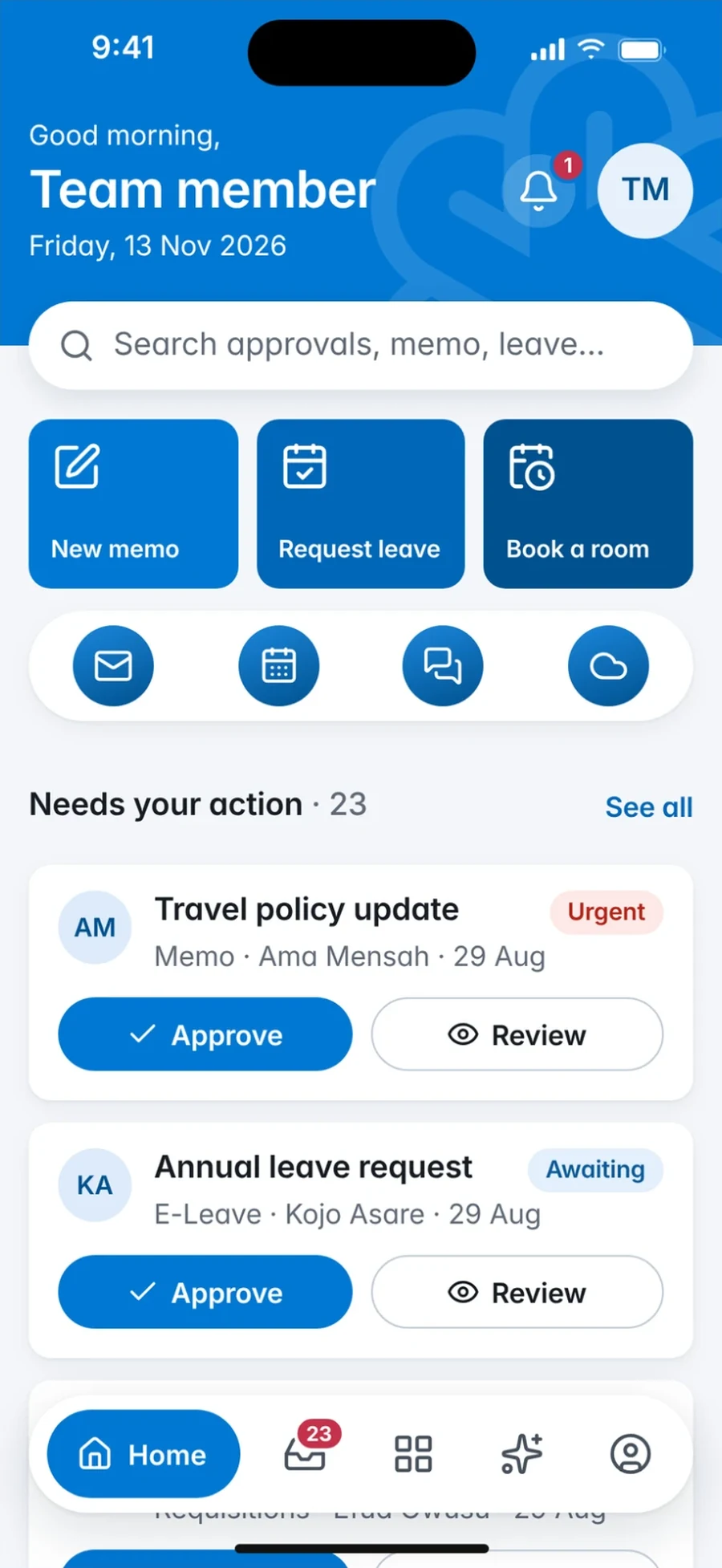
The approval you opened at your desk is the one waiting in the app. The memo you drafted on the phone is in the web portal. Identity, policy and data stay consistent because there is one system underneath.
- Work-Account Sign-In
- Same Approvals Queue
- Memos and Leave on Mobile
- Organisation-Enabled Apps

Questions
Common Questions.
See it for yourself
Bring Your Workplace Into One View.
Request a guided 30-minute demo with eSolutions Consulting Ghana. We will walk through the workflows that matter to you and talk through the deployment path that fits.
Talk to the team
64 Ben Amartey Street, East Legon, Greater Accra, Ghana