
Solutions and workflows
Everyday Workflows, Without the Friction.
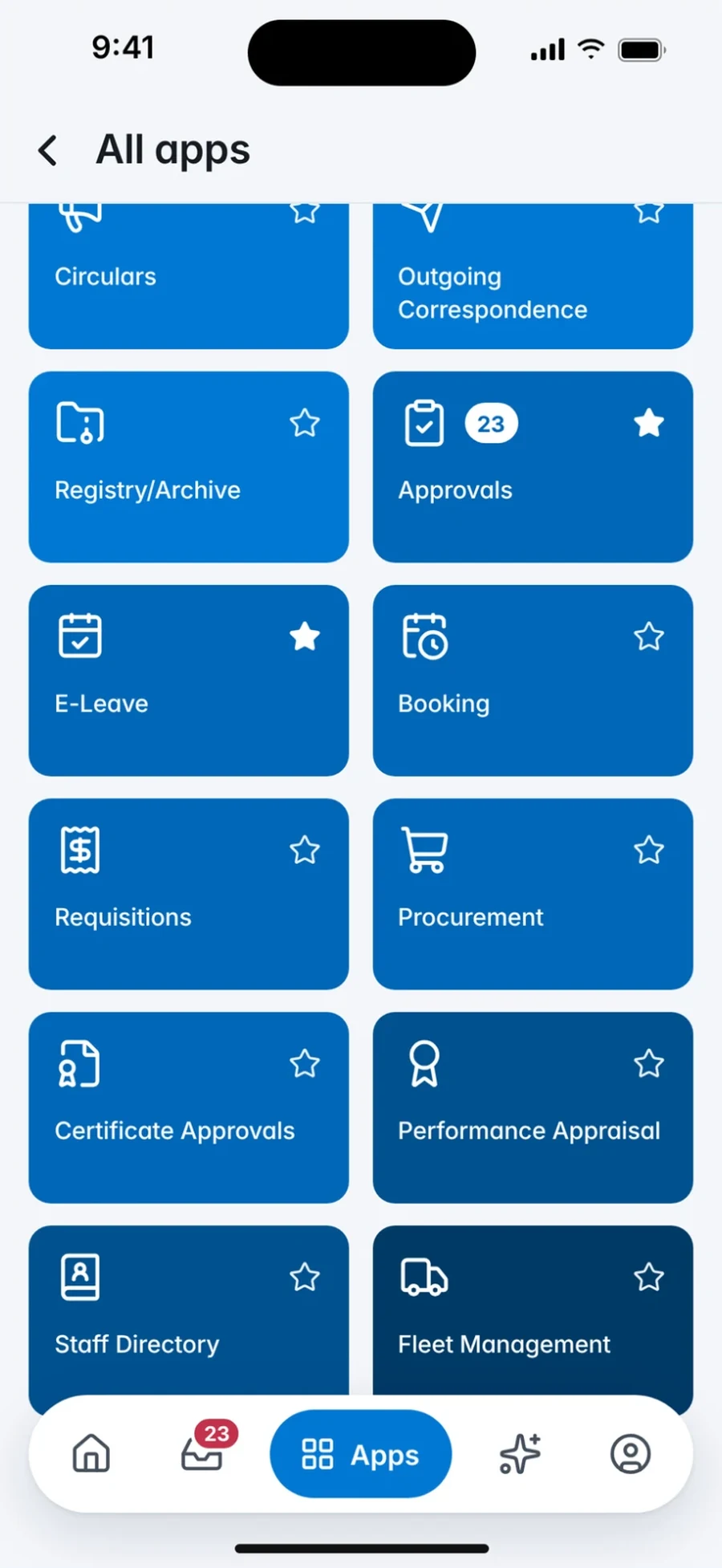
Each workflow below describes the problem it addresses, the outcome your people get, and where configuration varies by organisation. The screens are the product's own.

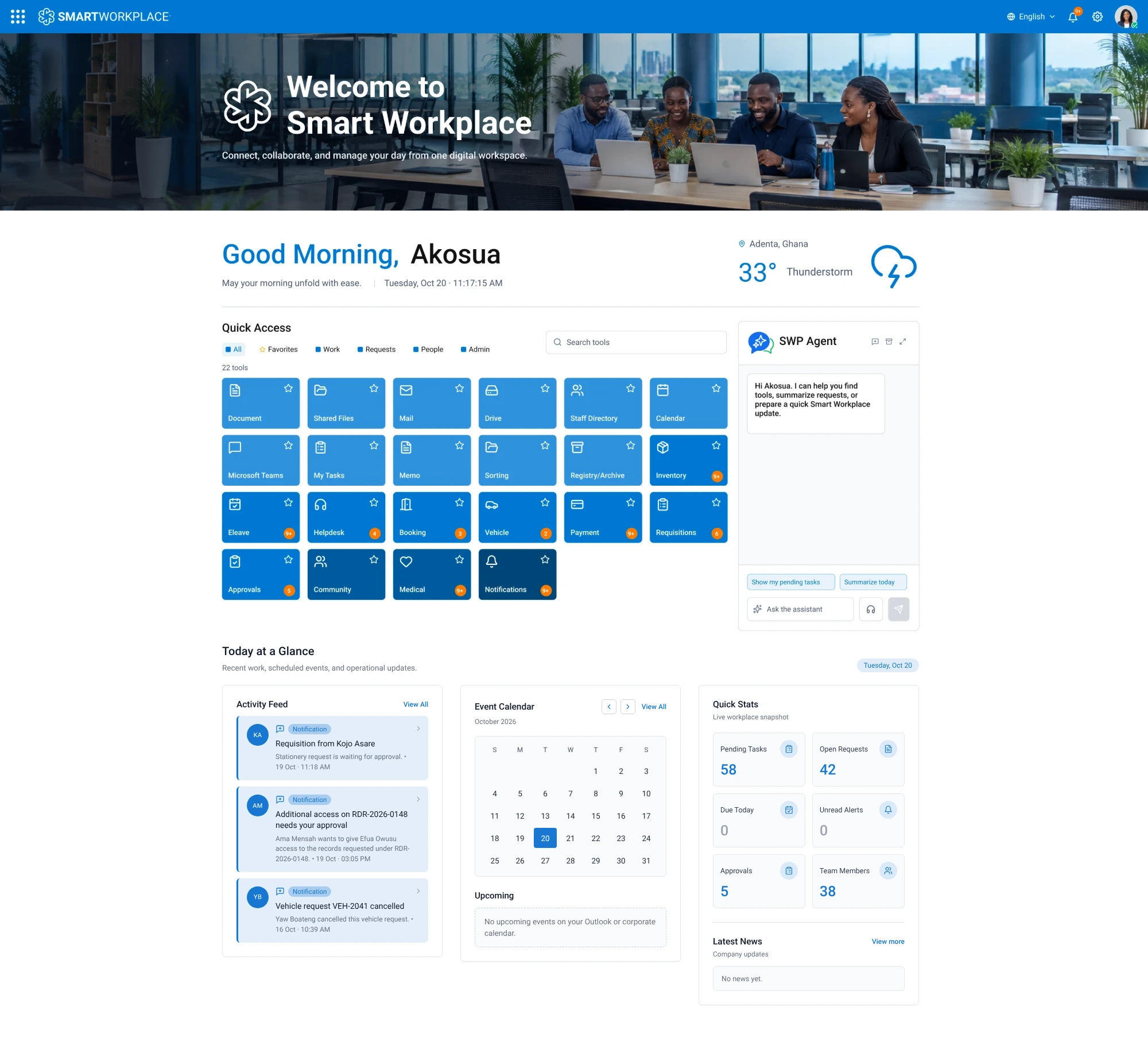
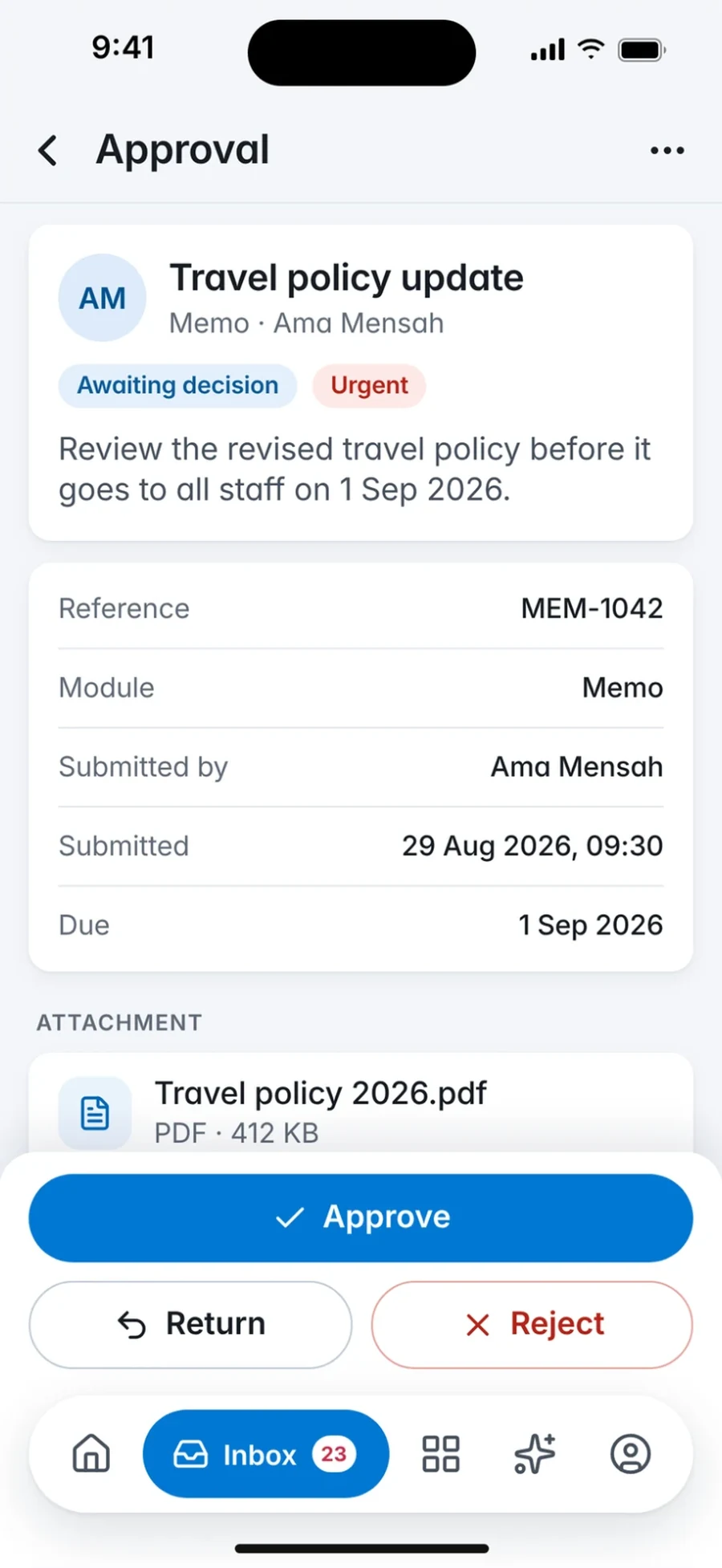
Approvals
AvailableKeep Decisions Moving.
See every request waiting on you, open the full context, and act from desktop or mobile without hunting through email.
- The friction
- Requests arrive by email, paper memo or corridor conversation, and nobody knows what is waiting on whom.
- The outcome
- Approvers see a single queue with context, history and a clear action, and requesters can follow progress.

Memos
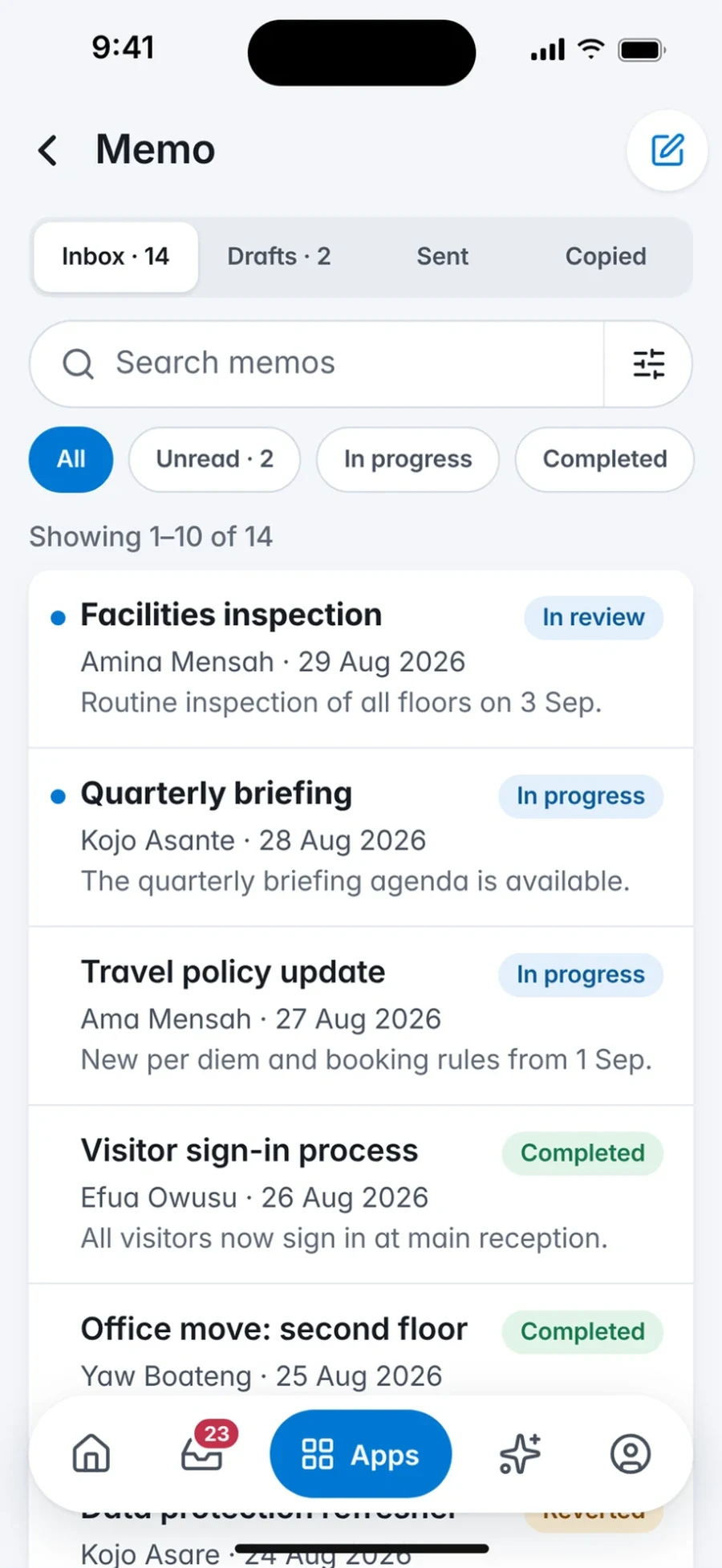
AvailableMake Communication Actionable.
Read workplace memos, find the right people and send clear updates within your organisation, with the record kept where it belongs.
- The friction
- Paper memos and correspondence are slow to circulate, easy to lose and hard to retrieve later.
- The outcome
- Electronic memos reach the right people quickly, and the record stays in one place.
Leave
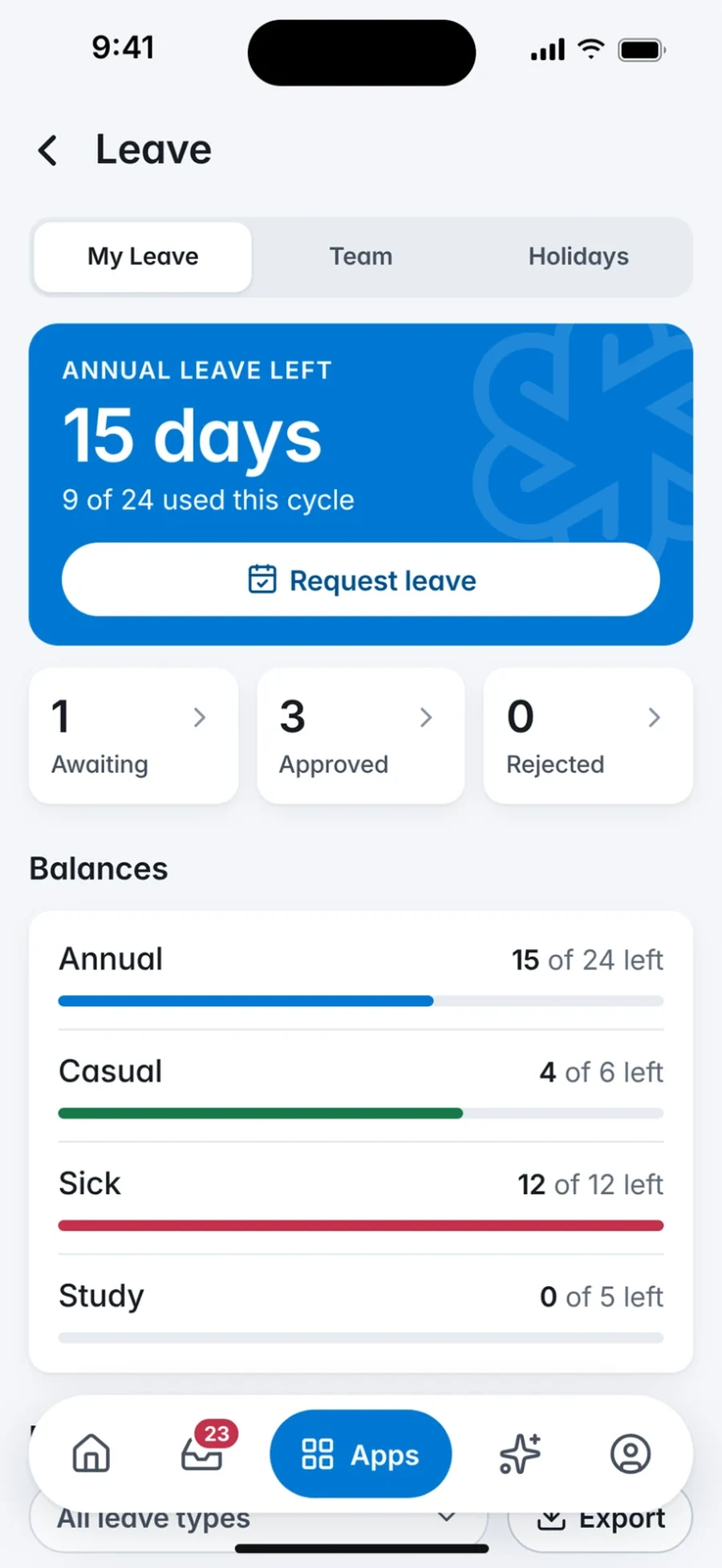
AvailablePlan Time Off Without the Paperwork.
Check leave information, submit a request in minutes and follow it through approval, from any device.
- The friction
- Leave forms travel from desk to desk, balances are unclear and approvals stall.
- The outcome
- Employees see their entitlement, submit once and get a decision, while line managers approve from the same queue.
Leave policies and entitlements are configured per organisation during delivery.
Helpdesk
AvailableGive Every Employee a Clear Next Step.
Raise a support request, track its status and get help from the managed service team or your internal IT desk.
- The friction
- IT and facilities issues are reported informally and fall through the cracks.
- The outcome
- Tickets are logged, prioritised and resolved with visibility for the employee and the support team.
Directory
AvailableFind the Right Person, Fast.
A staff directory organised around your departments, so people can find colleagues, roles and contact details quickly.
- The friction
- Contact lists live in spreadsheets and go stale the moment someone moves.
- The outcome
- One directory, available on web and mobile.
How the directory is kept up to date is agreed per organisation.
Documents
AvailableDigitise, Route and Archive Records.
Document management for correspondence, policies and files, so records are captured once, routed for action and easy to find later.
- The friction
- Physical files and ad hoc folders make records impossible to track or audit.
- The outcome
- Documents are captured once, routed to the right desk and archived where they can be found again.
Document types, retention and workflow steps are configured per organisation.
One request, end to end
Demo · illustrativeFrom Request to Record, in Four Steps.
Follow a single leave request through Smart Workplace: who acts, where it happens and what your organisation decides at each step.
Annual leave · 5 days
Kofi Asante · Finance · Ref LV-0193
History
- at 09:12
Submitted the request
Kofi Asante · Web portal
Manager Reviews and Approves
Still to come
Employee Receives the Outcome
Still to come
Record Is Retained
Still to come
Step 1 of 4
Submit a Request
Kofi submits a leave request from the portal or the mobile app, with dates and cover arranged.
- Who
- Employee
- Where
- Web portal or mobile app
- Your organisation decides
- The request form and the fields your organisation needs
Names, references and times are fictional. Approval steps, notifications and record-keeping are configured for each organisation.
See it for yourself
Bring Your Workplace Into One View.
Request a guided 30-minute demo with eSolutions Consulting Ghana. We will walk through the workflows that matter to you and talk through the deployment path that fits.
Talk to the team
64 Ben Amartey Street, East Legon, Greater Accra, Ghana